Hyro
Music
A free music player for Android. Stream, download, follow synced lyrics and build playlists in an app that recolors itself around whatever is playing.
- Latest version
- Checking
- File size
- Checking
- Released
- Checking
- Runs on
- 64-bit Android
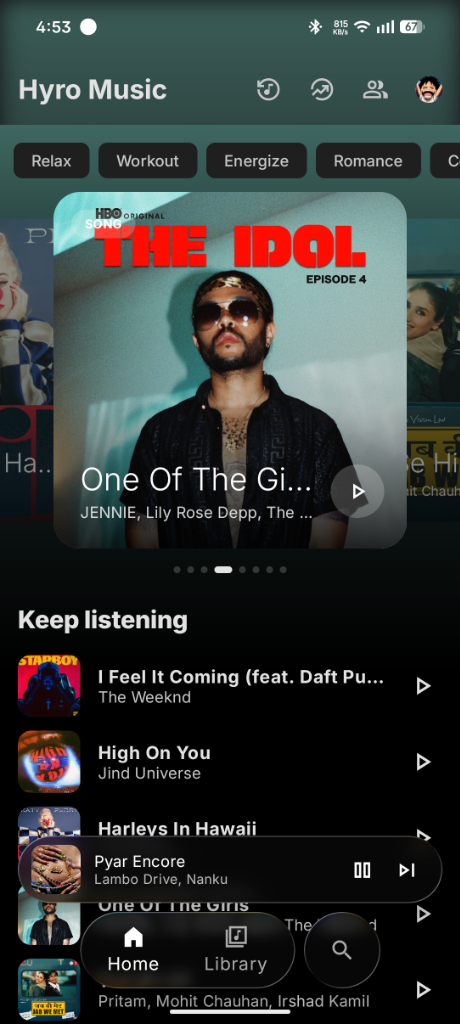
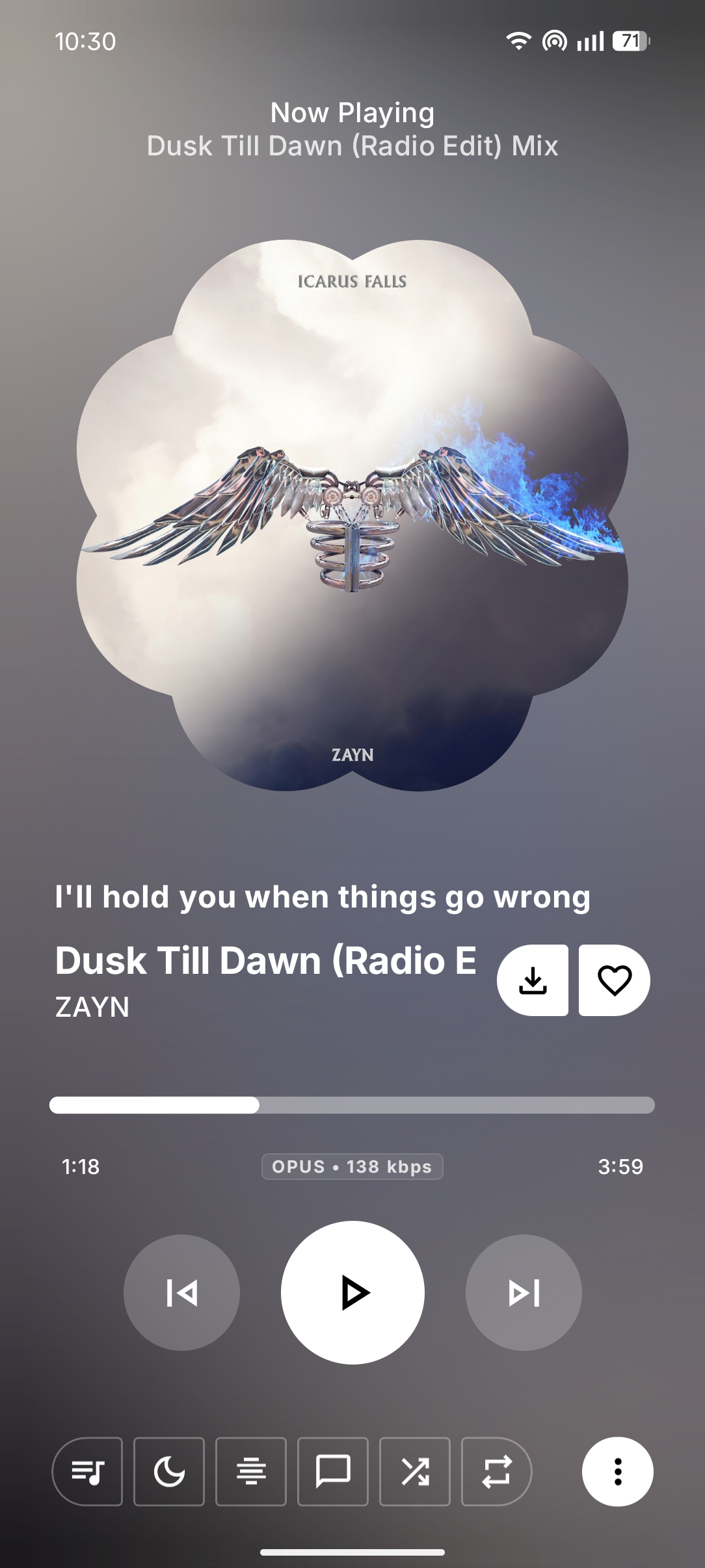
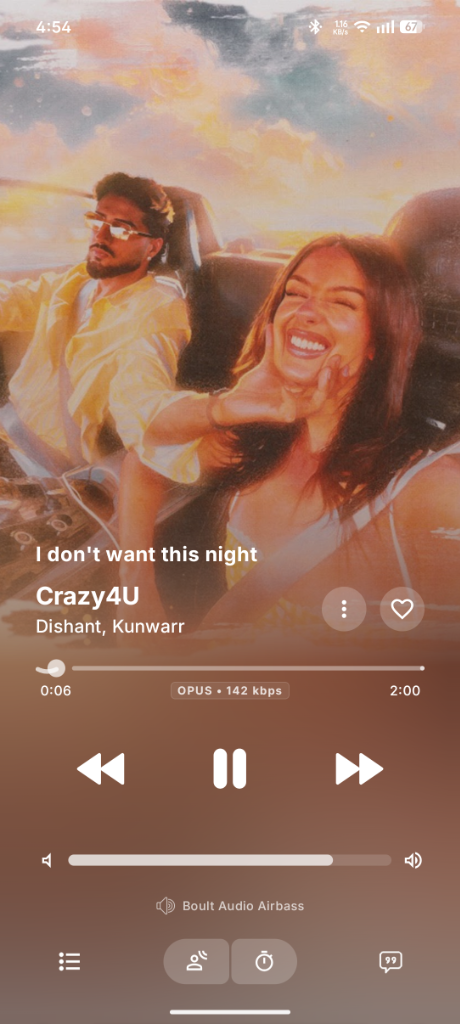
How it looks
What it does
- A player that matches the songBackground, buttons and lyrics take their colors from the cover art, in an Apple Music inspired layout.
- Lyrics that keep upSynced lyrics with several animation styles. Swipe to change song.
- Animated coversShows moving album art where it is available.
- Playlists you controlReorder by dragging, sort your way, export to CSV.
- Listen offlineDownload songs and playlists to play without a connection.
- Listen TogetherPlay the same music in sync with a friend.
- Recognize and importIdentify a song playing nearby, or bring in playlists from Spotify.
- Glass interfaceFrosted, floating navigation and mini player that follow your theme.
What's new
Install in three steps
- Download the APKTap the download button above. Your browser may ask you to confirm because APK files can be installed on their own.
- Allow the installAndroid asks for permission to install apps from your browser or file manager. Allow it once. You can turn it off again afterwards.
- Open the file and tap InstallFind it in your notifications or Downloads folder, tap Install, then open the app.
Questions
Is it free?
Yes. Downloading and using the app costs nothing, and there is no subscription or paid tier.
Is it safe to install?
Each release is built automatically from the public source code on GitHub and signed with the same key every time. You can check your download against the fingerprint below to confirm it was not changed on the way to your phone. Only download from this page or the project's GitHub Releases page.
Android shows a warning when you install outside a store. It appears for every app that does not come from Google Play, so it is not a sign that something is wrong with this one.
Not available yetTo check a file on Windows, open PowerShell in the folder with the APK and run:
Get-FileHash .\the-file-name.apk -Algorithm SHA256
The result should match the fingerprint above exactly.
Where does the music come from?
The app is a player for YouTube Music. It is an independent project and is not affiliated with, endorsed by, or sponsored by YouTube or Google.
Do I need an account?
No account is needed to search and play. Signing in is optional and is only useful if you want your own library and playlists.
Is it on Google Play?
Not at the moment. New versions are published here and on GitHub.
How do I update?
Download the newest APK from this page and install it over the old one. Your playlists and settings are kept, because every release is signed with the same key.